Designed, Developed, and Shipped in 2 Days
This portfolio is built on Astro, WebGL, Canvas 2D, and a custom SVG animation system. Designed, developed, and deployed in ~2 days using an AI-assisted development workflow. Every architectural decision made by me, every diff reviewed in the terminal, Claude as the execution layer.
Context. I needed a portfolio that would function as its own case study: proof that an AI-assisted development workflow can deliver a production-quality technical product at a fraction of the traditional cost and timeline.
Result. A live Astro portfolio with WebGL particles, mouse-reactive SVG filaments, adaptive performance tiers, and 6 case studies. Designed, developed, and deployed in ~2 days. Every architectural decision made by me, every line of code reviewed and validated before shipping.
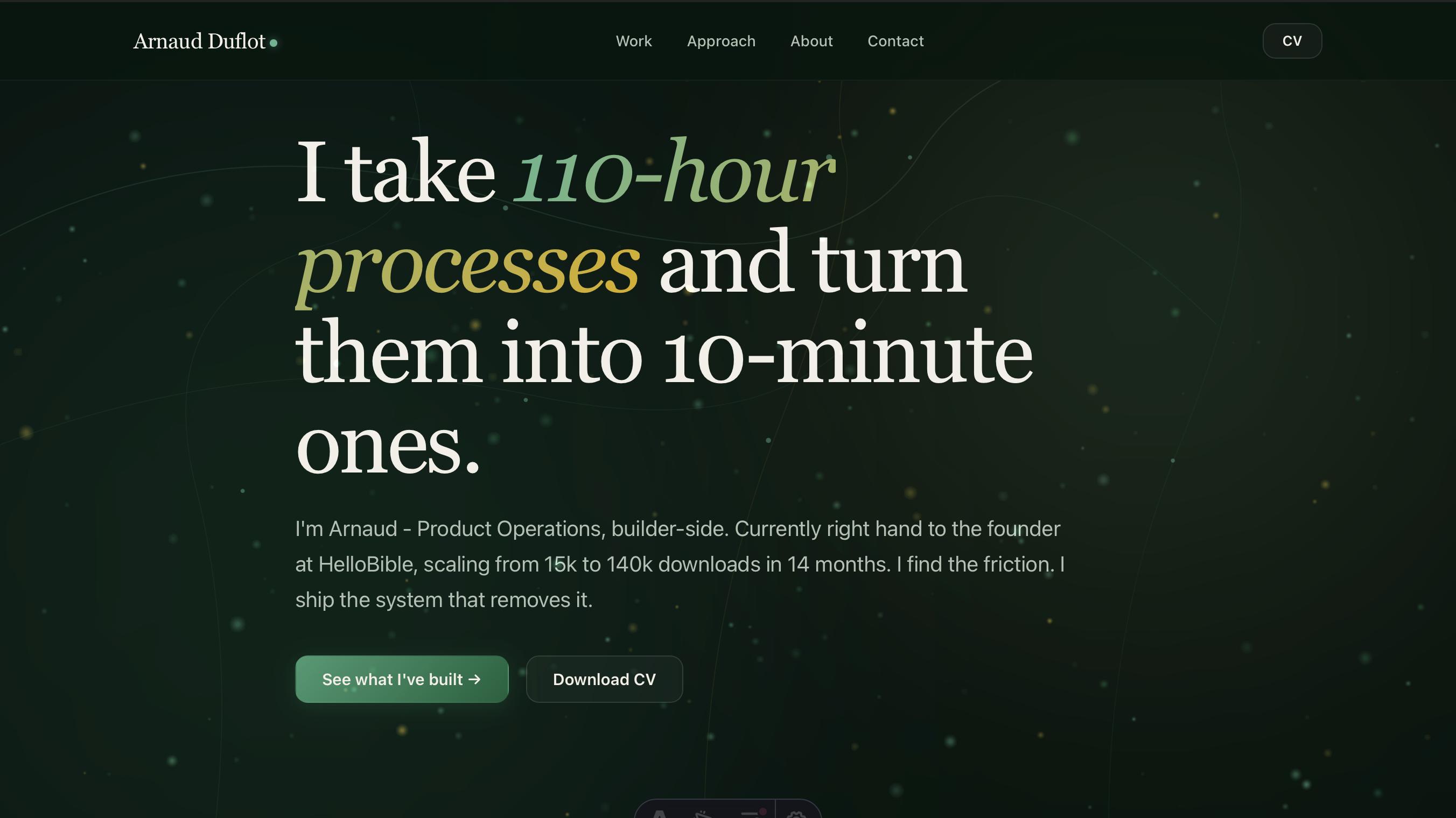
The other case studies in this portfolio show me solving ops problems at HelloBible. This one shows the method behind all of them: AI-assisted development as a professional workflow - not a workaround, a multiplier.
The site is built with Astro, WebGL, Canvas 2D, SVG animations, and a custom design system. I decomposed the architecture, made every stack decision, worked directly in the terminal reviewing diffs, and validated every visual output. Claude was the execution layer. Every line of code shipped after I understood it.
The method, applied to itself
I had three options:
- Pay an agency (5-10k€, 6 weeks, generic template behind a stripped-down CMS)
- Use Webflow (faster but every other portfolio looks the same)
- Build something custom with Claude as the execution layer
I picked the third because it let me demonstrate the AI-assisted development workflow on the portfolio itself - the product becomes the proof.
What I actually did
The method is the same as every operations system I build at HelloBible: decompose, decide, ship, iterate, document.
Decompose: I listed every dimension a portfolio site has - stack, hosting, design, performance, SEO, content management, analytics, accessibility, animations, mobile behavior. Eleven dimensions in total.
Decide: For each dimension, I had a real conversation with Claude about trade-offs. Astro vs Next.js vs vanilla. Static vs server-rendered. Dark mode vs light. Fraunces vs Söhne. I rejected Claude’s suggestions when they didn’t fit (he wanted to add a sitemap integration that was incompatible with our Astro version - I caught it, we removed it).
Ship: Claude wrote the code; I reviewed diffs, challenged unclear choices, and tested the visual result before accepting changes. When something looked off, I asked why. When I didn’t understand a decision, I made him explain it.
Iterate: When the WebGL particles felt too sparse, I said so. When the mouse trail felt redundant after we added hover morphing, I asked Claude what he thought - and we removed it. When the LinkedIn banner he generated wasn’t wow enough, I made him explain why, and we redid it three times.
Document: This case study is that documentation.
What this cost to build
The site was designed, developed, and deployed in ~2 days of evening sessions without an agency or a dedicated developer. A custom portfolio like this could easily cost 5-10k€ and take 4-6 weeks the traditional way.
What made that possible: I know how to decompose a problem into decisions, brief an AI agent on each decision, review its output, and iterate until the result holds up. The same method runs the four other case studies in this portfolio - different domains, same loop.
The technical details, if you want them
The stack
- Astro 4 - static site generator, zero JavaScript by default, MDX for content
- WebGL - tier 3 particle system using GPU acceleration with additive blending
- Canvas 2D - fallback for mobile and devices without WebGL support
- SVG - animated filaments with mouse-reactive control points
- Cloudflare Pages - CDN hosting, automatic deploys from GitHub
The visual system - built in 6 layers
Layer 1 - Atmosphere: CSS radial gradients, fixed position, animated drift. Zero JavaScript.
Layer 2 - SVG filaments: Five paths that draw themselves on load via stroke-dashoffset animation. Pure CSS.
Layer 3 - Particle system: Canvas 2D for mobile, WebGL for desktop. Mycélium connections (lines drawn when particle distance < 160px) on tier 2+.
Layer 4 - Mouse-reactive filaments: SVG control points recalculate every frame based on cursor position. Smooth interpolation (0.045 factor).
Layer 5 - WebGL particles: 280 particles with additive blending. Fragment shader handles glow. Depth of field via Z dimension.
Layer 6 - Interactivity: Scroll reaction (cap at 40px/frame to avoid anchor-jump explosions), hover morphing (particles within 260px of buttons drift toward them).
Performance tiers
- Mobile: Canvas 2D, 50 ambient particles, no mycélium, no hover morphing
- Desktop: WebGL direct, fallback Canvas 2D if WebGL unavailable
Things that went wrong
@astrojs/sitemaprequires Astro 6 - had to remove it entirely- MDX parses
<3 secondsas a JSX tag - broke two case studies until fixed {variable}in MDX content is parsed as JSX expression - same problem- LinkedIn rejects SVG OG images - had to install
rsvg-convertfor PNG export
Want to talk about something like this?
Email me, send a LinkedIn message, or download the CV. Conversations are what this site is built for.